 ROOKIE GAMER
More free GTA 6 help: Controls · Cheat codes · Lose the police · Fast travel · Gift ideas
Change these settings first
GTA 6 has no Easy, Normal or Hard mode, but it does have assists. In Options > Settings > Gameplay, near the bottom, you'll find Accessible Combat (you take less damage and enemies take more) and Reduced Vehicle Damage (your car survives crashes better). Both are worth turning on while you learn.
Under Control Scheme you can also switch from the new Default layout to Classic, which feels closer to GTA 5. If you've never played GTA, stay on Default.
Keep your money safe
Cash in your pocket can be lost if you're busted or killed, but money in your BuckMe bank account is safe. Open the BuckMe app on your phone, pick ATM Finder, and deposit after any job that pays.
Don't stress about being skint early on. The story eats a lot of your money in the first part of the game, so just earn enough for guns and car upgrades.
Save manually
Each chapter has its own safehouse and you can't go back once you move on, so make your own saves: pause, choose Game, then Save. Always save before trying cheats too, because using one switches off saving.
Look after Jason and Lucia
- Eat and drink before heading out on missions.
- Pet any dogs and cats you meet: it boosts your Focus and earns good behaviour points.
- Use Focus with a gun out to slow time for a moment and line up your shot.
Getting around
There's no normal map-warp fast travel. You can pay a RydeMe driver to skip the journey, use buses and trains, or switch characters to jump across the map. More on fast travel →
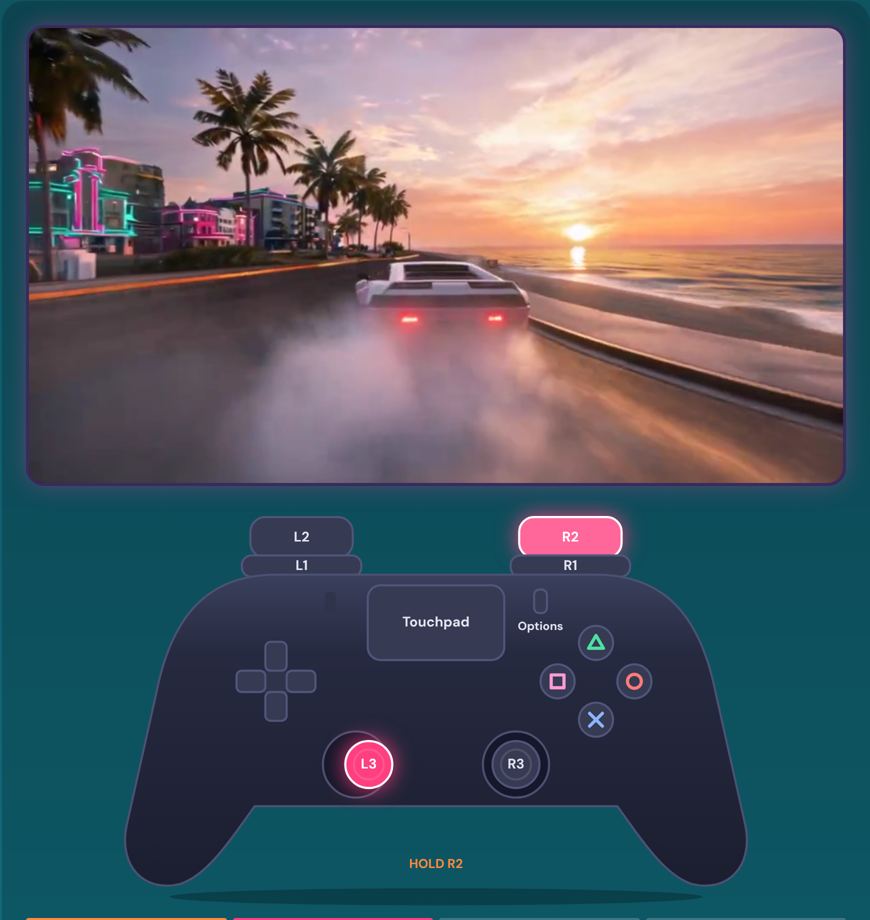
Don't just read the buttons. See every move.
Rookie Gamer's interactive GTA 6 guide plays each move in a realistic Miami scene while the controller underneath lights up exactly which buttons to press, with a voiceover talking you through it. 25 lessons, a 10-pin First Five Hours route with Jessica's voice, a button drill game and a printable cheat sheet. PS5 and Xbox.
🎁 The perfect Christmas gift for any new gamer. Instant digital delivery.
See the GTA 6 + FC 27 bundle in the shop →Fist fight controls
Punching, blocking and dodging when it kicks off.
| Action | PS5 | Xbox | How |
|---|---|---|---|
| Lock on / strafe | L2 | LT | Hold |
| Punch / kick | Square | X | Press |
| Block / dodge | X | A | Press |
| Grapple | R2 | RT | Press |
| Move | Left stick | Left stick | Tilt |
| Look | Right stick | Right stick | Tilt |
| Map | Touchpad | View | Press |
| Pause | Options | Menu | Press |
Cars & boats controls
Driving, handbrake turns, the radio and boats.
| Action | PS5 | Xbox | How |
|---|---|---|---|
| Accelerate | R2 | RT | Hold |
| Brake / reverse | L2 | LT | Hold |
| Steer | Left stick | Left stick | Tilt |
| Handbrake | X | A | Press |
| Get out | Triangle | Y | Press |
| Shoot (drive-by) | R1 | RB | Press |
| Melee | Square | X | Press |
| Headlights | Circle | B | Press |
| Duck | Circle | B | Hold |
| Horn / nitrous | L3 (click left stick) | LS (click left stick) | Click |
| Look | Right stick | Right stick | Tilt |
| Look behind | R3 (click right stick) | RS (click right stick) | Hold |
| Holster | L1 | LB | Press |
| Loadout | L1 | LB | Hold |
| Cellphone | D-pad ↑ | D-pad ↑ | Press |
| Interact | D-pad ↑ | D-pad ↑ | Hold |
| Indicate left | D-pad ← | D-pad ← | Press |
| Vehicle menu | D-pad ← | D-pad ← | Hold |
| Objective / minimap | D-pad ↓ | D-pad ↓ | Press |
| Quick navigation | D-pad ↓ | D-pad ↓ | Hold |
| Indicate right | D-pad → | D-pad → | Press |
| Partner menu | D-pad → | D-pad → | Hold |
| Map | Touchpad | View | Press |
| Pause | Options | Menu | Press |
Aircraft controls
Taking off, steering and landing planes and helicopters.
| Action | PS5 | Xbox | How |
|---|---|---|---|
| Throttle up | R2 | RT | Hold |
| Throttle down | L2 | LT | Hold |
| Pitch / roll | Left stick | Left stick | Tilt |
| Yaw left | Square | X | Press |
| Yaw right | Circle | B | Press |
| Shoot | R1 | RB | Press |
| Get out | Triangle | Y | Press |
| Undercarriage | L3 (click left stick) | LS (click left stick) | Click |
| Look | Right stick | Right stick | Tilt |
| Look behind | R3 (click right stick) | RS (click right stick) | Hold |
| Holster | L1 | LB | Press |
| Cellphone | D-pad ↑ | D-pad ↑ | Press |
| Radio controls | D-pad ← | D-pad ← | Press |
| Vehicle menu | D-pad ← | D-pad ← | Hold |
| Objective / minimap | D-pad ↓ | D-pad ↓ | Press |
| Quick navigation | D-pad ↓ | D-pad ↓ | Hold |
| Partner menu | D-pad → | D-pad → | Hold |
| Map | Touchpad | View | Press |
| Pause | Options | Menu | Press |
Your First Five Hours, pin by pin
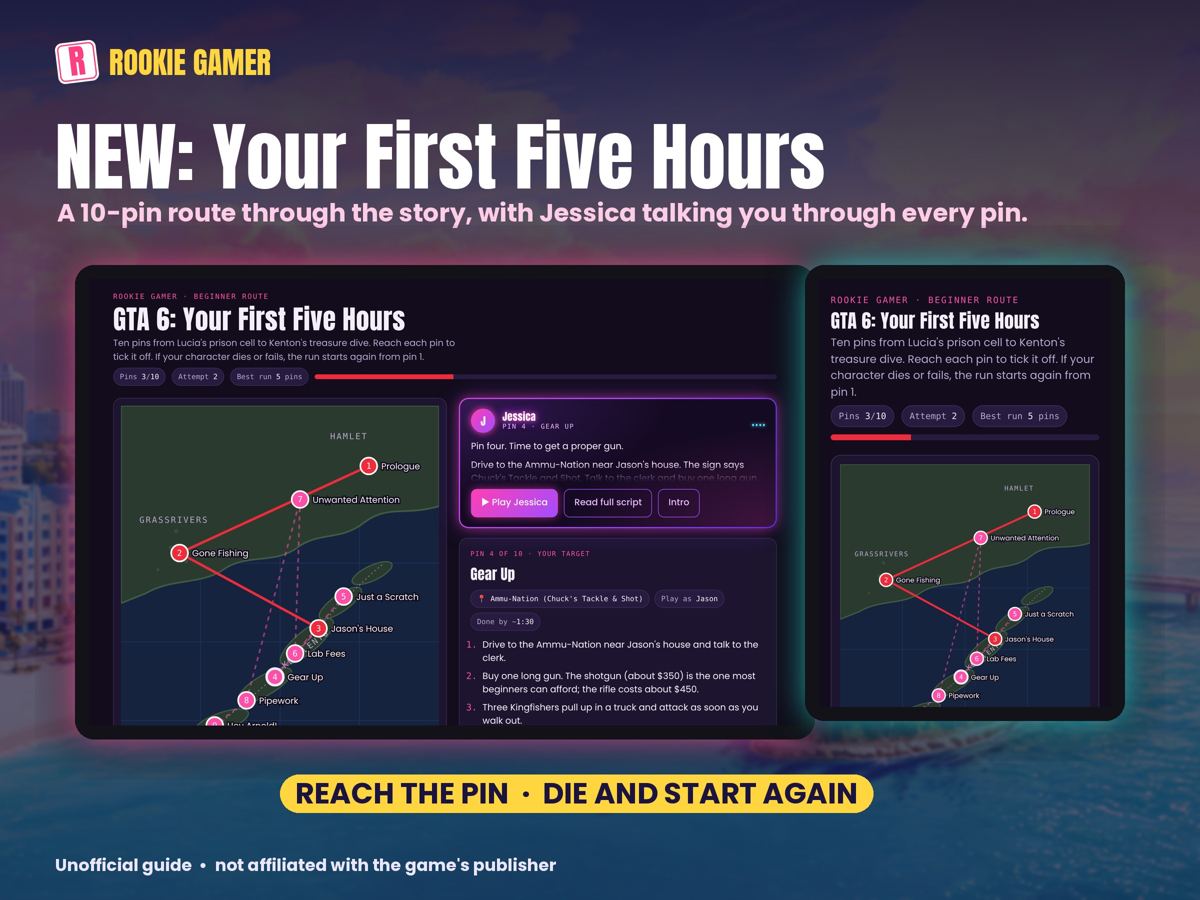
A 10-pin route from Lucia's prison cell to Kenton's treasure dive. Jessica talks you through every pin. Die and you start again from pin 1.
Bicycle controls
Pedalling, bunnyhops and tricks.
| Action | PS5 | Xbox | How |
|---|---|---|---|
| Pedal | R2 | RT | Hold |
| Brake / reverse | L2 | LT | Hold |
| Turn / lean | Left stick | Left stick | Tilt |
| Bunnyhop | Circle | B | Press |
| Sprint | X | A | Press |
| Get off | Triangle | Y | Press |
| Shoot | R1 | RB | Press |
| Melee | Square | X | Press |
| Bell | L3 (click left stick) | LS (click left stick) | Click |
| Look | Right stick | Right stick | Tilt |
| Look behind | R3 (click right stick) | RS (click right stick) | Hold |
| Holster | L1 | LB | Press |
| Loadout | L1 | LB | Hold |
| Cellphone | D-pad ↑ | D-pad ↑ | Press |
| Interact | D-pad ↑ | D-pad ↑ | Hold |
| Objective / minimap | D-pad ↓ | D-pad ↓ | Press |
| Quick navigation | D-pad ↓ | D-pad ↓ | Hold |
| Partner menu | D-pad → | D-pad → | Hold |
| Map | Touchpad | View | Press |
| Pause | Options | Menu | Press |
Swimming controls
Swimming, diving underwater and coming back up.
| Action | PS5 | Xbox | How |
|---|---|---|---|
| Swim | Left stick | Left stick | Tilt |
| Swim faster | L3 (click left stick) | LS (click left stick) | Click |
| Dive | R1 | RB | Press |
| Surface | X | A | Press |
| Shoot | R2 | RT | Press |
| Aim / strafe | L2 | LT | Hold |
| Melee | Square | X | Press |
| Look | Right stick | Right stick | Tilt |
| Look behind | R3 (click right stick) | RS (click right stick) | Hold |
| Holster | L1 | LB | Press |
| Loadout | L1 | LB | Hold |
| Radio controls | D-pad ← | D-pad ← | Press |
| Radio menu | D-pad ← | D-pad ← | Hold |
| Objective / minimap | D-pad ↓ | D-pad ↓ | Press |
| Quick navigation | D-pad ↓ | D-pad ↓ | Hold |
| Partner menu | D-pad → | D-pad → | Hold |
| Map | Touchpad | View | Press |
| Pause | Options | Menu | Press |
Parachute controls
Skydiving, opening the chute and steering to land.
| Action | PS5 | Xbox | How |
|---|---|---|---|
| Open parachute | X | A | Press |
| Steer | Left stick | Left stick | Tilt |
| Brake left | L2 | LT | Hold |
| Brake right | R2 | RT | Hold |
| Detach parachute | Triangle | Y | Press |
| Shoot | R1 | RB | Press |
| Look | Right stick | Right stick | Tilt |
| Look behind | R3 (click right stick) | RS (click right stick) | Hold |
| Holster | L1 | LB | Press |
| Loadout | L1 | LB | Hold |
| Cellphone | D-pad ↑ | D-pad ↑ | Press |
| Waink app | D-pad ↑ | D-pad ↑ | Hold |
| Radio controls | D-pad ← | D-pad ← | Press |
| Radio menu | D-pad ← | D-pad ← | Hold |
| Objective / minimap | D-pad ↓ | D-pad ↓ | Press |
| Quick navigation | D-pad ↓ | D-pad ↓ | Hold |
| Partner menu | D-pad → | D-pad → | Hold |
| Map | Touchpad | View | Press |
| Pause | Options | Menu | Press |
Don't just read the buttons. See every move.
Rookie Gamer's interactive GTA 6 guide plays each move in a realistic Miami scene while the controller underneath lights up exactly which buttons to press, with a voiceover talking you through it. 25 lessons, a 10-pin First Five Hours route with Jessica's voice, a button drill game and a printable cheat sheet. PS5 and Xbox.
🎁 The perfect Christmas gift for any new gamer. Instant digital delivery.
See the GTA 6 + FC 27 bundle in the shop →FAQ
Do I need to play GTA 5 before GTA 6?
No. GTA 6 has a new story and new characters, so you can start here.
Does GTA 6 have an easy mode?
Not as a difficulty setting, but Accessible Combat and Reduced Vehicle Damage in the Gameplay settings make it much more forgiving.
How do I stop losing money in GTA 6?
Deposit your cash at an ATM using the BuckMe app. Money in the bank is safe; cash on you can be lost if you're busted or killed.