 ROOKIE GAMER
More free GTA 6 help: Controls · Cheat codes · Beginner tips · Lose the police · Gift ideas
1. RydeMe (the paid skip)
The RydeMe app calls you a car. Pay an extra $100 and you can skip the drive and arrive straight away. It's the closest thing to fast travel.
2. Buses and trains (the cheap way)
Low on cash? Buses and trains stop at most places on their routes. The catch is that you have to wait for them.
3. Switch characters (the free way)
Switching between Jason and Lucia is the cheapest jump of all. The character you aren't playing usually hangs around near your safehouse, so switching can move you across the map for nothing.
Bonus: keep a car you like
Register a car at Pay 'n' Spray and you can call it to you any time with the Scooter Bros app, so you're never stuck without wheels.
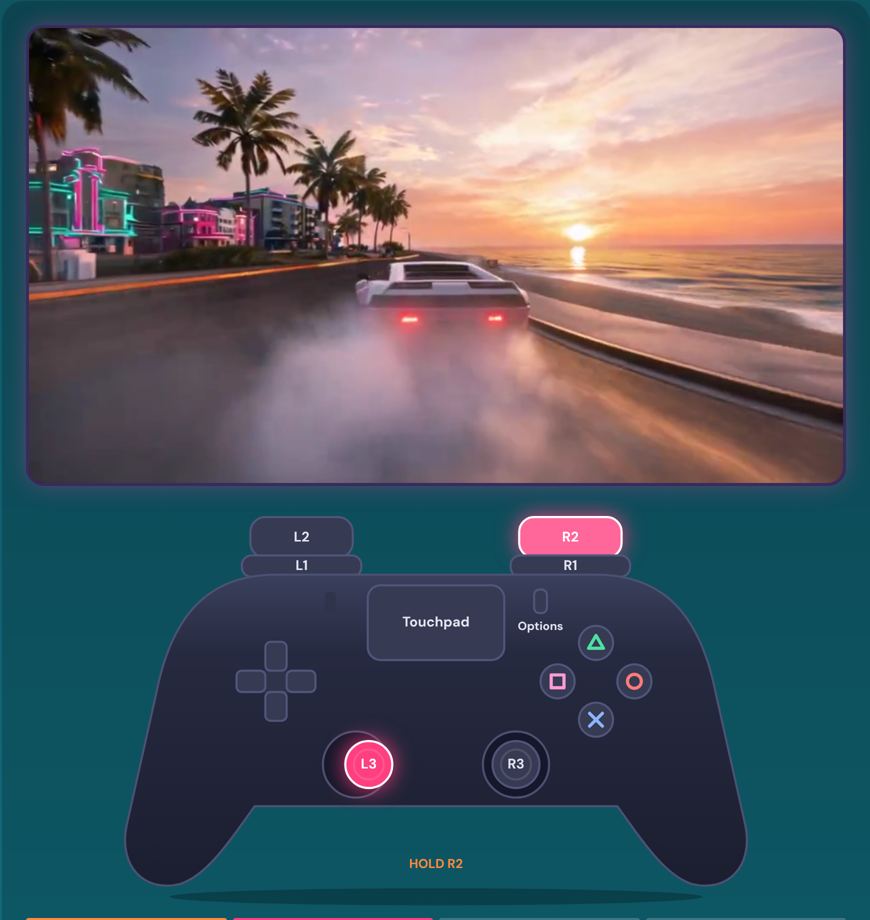
Don't just read the buttons. See every move.
Rookie Gamer's interactive GTA 6 guide plays each move in a realistic Miami scene while the controller underneath lights up exactly which buttons to press, with a voiceover talking you through it. 25 lessons, a 10-pin First Five Hours route with Jessica's voice, a button drill game and a printable cheat sheet. PS5 and Xbox.
🎁 The perfect Christmas gift for any new gamer. Instant digital delivery.
See the GTA 6 + FC 27 bundle in the shop →Fist fight controls
Punching, blocking and dodging when it kicks off.
| Action | PS5 | Xbox | How |
|---|---|---|---|
| Lock on / strafe | L2 | LT | Hold |
| Punch / kick | Square | X | Press |
| Block / dodge | X | A | Press |
| Grapple | R2 | RT | Press |
| Move | Left stick | Left stick | Tilt |
| Look | Right stick | Right stick | Tilt |
| Map | Touchpad | View | Press |
| Pause | Options | Menu | Press |
Cars & boats controls
Driving, handbrake turns, the radio and boats.
| Action | PS5 | Xbox | How |
|---|---|---|---|
| Accelerate | R2 | RT | Hold |
| Brake / reverse | L2 | LT | Hold |
| Steer | Left stick | Left stick | Tilt |
| Handbrake | X | A | Press |
| Get out | Triangle | Y | Press |
| Shoot (drive-by) | R1 | RB | Press |
| Melee | Square | X | Press |
| Headlights | Circle | B | Press |
| Duck | Circle | B | Hold |
| Horn / nitrous | L3 (click left stick) | LS (click left stick) | Click |
| Look | Right stick | Right stick | Tilt |
| Look behind | R3 (click right stick) | RS (click right stick) | Hold |
| Holster | L1 | LB | Press |
| Loadout | L1 | LB | Hold |
| Cellphone | D-pad ↑ | D-pad ↑ | Press |
| Interact | D-pad ↑ | D-pad ↑ | Hold |
| Indicate left | D-pad ← | D-pad ← | Press |
| Vehicle menu | D-pad ← | D-pad ← | Hold |
| Objective / minimap | D-pad ↓ | D-pad ↓ | Press |
| Quick navigation | D-pad ↓ | D-pad ↓ | Hold |
| Indicate right | D-pad → | D-pad → | Press |
| Partner menu | D-pad → | D-pad → | Hold |
| Map | Touchpad | View | Press |
| Pause | Options | Menu | Press |
Aircraft controls
Taking off, steering and landing planes and helicopters.
| Action | PS5 | Xbox | How |
|---|---|---|---|
| Throttle up | R2 | RT | Hold |
| Throttle down | L2 | LT | Hold |
| Pitch / roll | Left stick | Left stick | Tilt |
| Yaw left | Square | X | Press |
| Yaw right | Circle | B | Press |
| Shoot | R1 | RB | Press |
| Get out | Triangle | Y | Press |
| Undercarriage | L3 (click left stick) | LS (click left stick) | Click |
| Look | Right stick | Right stick | Tilt |
| Look behind | R3 (click right stick) | RS (click right stick) | Hold |
| Holster | L1 | LB | Press |
| Cellphone | D-pad ↑ | D-pad ↑ | Press |
| Radio controls | D-pad ← | D-pad ← | Press |
| Vehicle menu | D-pad ← | D-pad ← | Hold |
| Objective / minimap | D-pad ↓ | D-pad ↓ | Press |
| Quick navigation | D-pad ↓ | D-pad ↓ | Hold |
| Partner menu | D-pad → | D-pad → | Hold |
| Map | Touchpad | View | Press |
| Pause | Options | Menu | Press |
Your First Five Hours, pin by pin
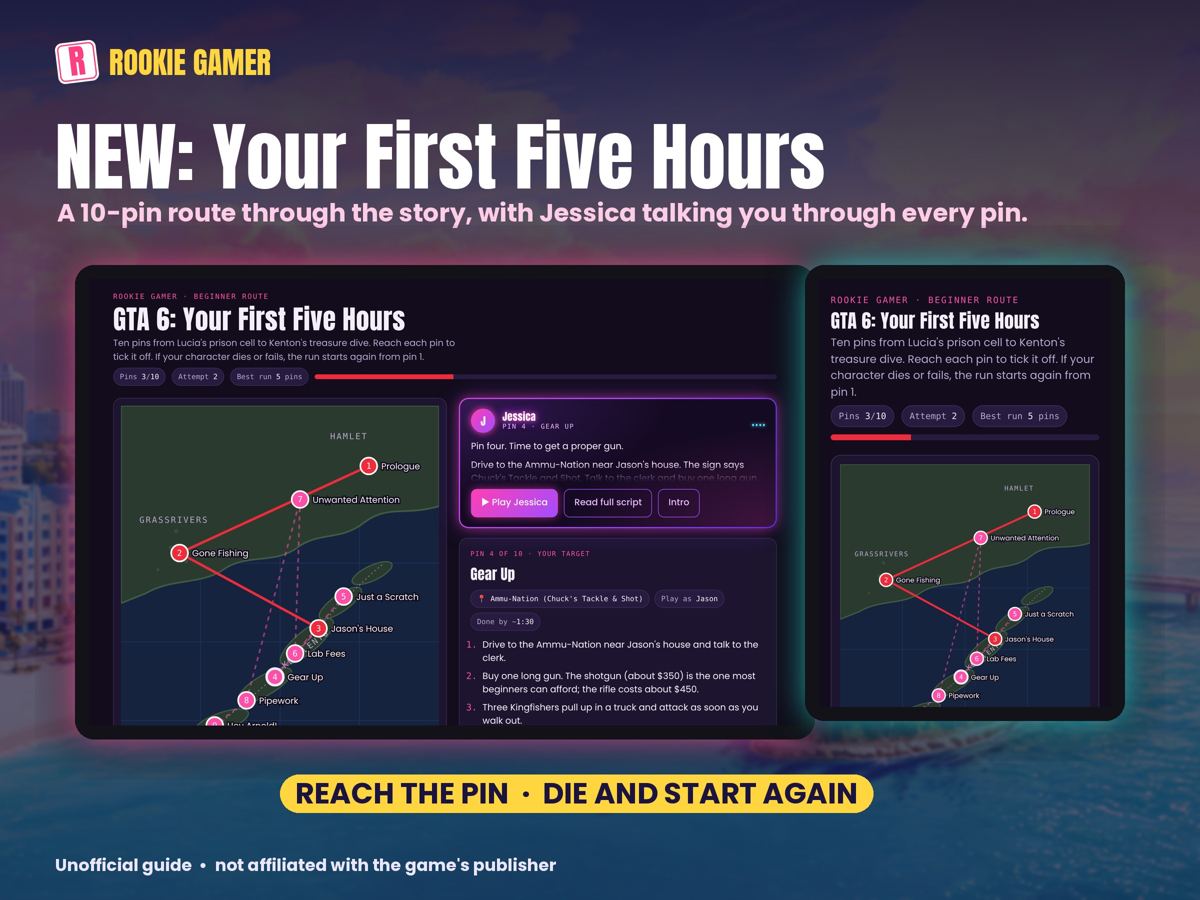
A 10-pin route from Lucia's prison cell to Kenton's treasure dive. Jessica talks you through every pin. Die and you start again from pin 1.
Bicycle controls
Pedalling, bunnyhops and tricks.
| Action | PS5 | Xbox | How |
|---|---|---|---|
| Pedal | R2 | RT | Hold |
| Brake / reverse | L2 | LT | Hold |
| Turn / lean | Left stick | Left stick | Tilt |
| Bunnyhop | Circle | B | Press |
| Sprint | X | A | Press |
| Get off | Triangle | Y | Press |
| Shoot | R1 | RB | Press |
| Melee | Square | X | Press |
| Bell | L3 (click left stick) | LS (click left stick) | Click |
| Look | Right stick | Right stick | Tilt |
| Look behind | R3 (click right stick) | RS (click right stick) | Hold |
| Holster | L1 | LB | Press |
| Loadout | L1 | LB | Hold |
| Cellphone | D-pad ↑ | D-pad ↑ | Press |
| Interact | D-pad ↑ | D-pad ↑ | Hold |
| Objective / minimap | D-pad ↓ | D-pad ↓ | Press |
| Quick navigation | D-pad ↓ | D-pad ↓ | Hold |
| Partner menu | D-pad → | D-pad → | Hold |
| Map | Touchpad | View | Press |
| Pause | Options | Menu | Press |
Swimming controls
Swimming, diving underwater and coming back up.
| Action | PS5 | Xbox | How |
|---|---|---|---|
| Swim | Left stick | Left stick | Tilt |
| Swim faster | L3 (click left stick) | LS (click left stick) | Click |
| Dive | R1 | RB | Press |
| Surface | X | A | Press |
| Shoot | R2 | RT | Press |
| Aim / strafe | L2 | LT | Hold |
| Melee | Square | X | Press |
| Look | Right stick | Right stick | Tilt |
| Look behind | R3 (click right stick) | RS (click right stick) | Hold |
| Holster | L1 | LB | Press |
| Loadout | L1 | LB | Hold |
| Radio controls | D-pad ← | D-pad ← | Press |
| Radio menu | D-pad ← | D-pad ← | Hold |
| Objective / minimap | D-pad ↓ | D-pad ↓ | Press |
| Quick navigation | D-pad ↓ | D-pad ↓ | Hold |
| Partner menu | D-pad → | D-pad → | Hold |
| Map | Touchpad | View | Press |
| Pause | Options | Menu | Press |
Parachute controls
Skydiving, opening the chute and steering to land.
| Action | PS5 | Xbox | How |
|---|---|---|---|
| Open parachute | X | A | Press |
| Steer | Left stick | Left stick | Tilt |
| Brake left | L2 | LT | Hold |
| Brake right | R2 | RT | Hold |
| Detach parachute | Triangle | Y | Press |
| Shoot | R1 | RB | Press |
| Look | Right stick | Right stick | Tilt |
| Look behind | R3 (click right stick) | RS (click right stick) | Hold |
| Holster | L1 | LB | Press |
| Loadout | L1 | LB | Hold |
| Cellphone | D-pad ↑ | D-pad ↑ | Press |
| Waink app | D-pad ↑ | D-pad ↑ | Hold |
| Radio controls | D-pad ← | D-pad ← | Press |
| Radio menu | D-pad ← | D-pad ← | Hold |
| Objective / minimap | D-pad ↓ | D-pad ↓ | Press |
| Quick navigation | D-pad ↓ | D-pad ↓ | Hold |
| Partner menu | D-pad → | D-pad → | Hold |
| Map | Touchpad | View | Press |
| Pause | Options | Menu | Press |
Don't just read the buttons. See every move.
Rookie Gamer's interactive GTA 6 guide plays each move in a realistic Miami scene while the controller underneath lights up exactly which buttons to press, with a voiceover talking you through it. 25 lessons, a 10-pin First Five Hours route with Jessica's voice, a button drill game and a printable cheat sheet. PS5 and Xbox.
🎁 The perfect Christmas gift for any new gamer. Instant digital delivery.
See the GTA 6 + FC 27 bundle in the shop →FAQ
Does GTA 6 have fast travel?
Not traditional fast travel. You can pay RydeMe $100 extra to skip a ride, use buses and trains, or switch characters.
What's the cheapest way to travel in GTA 6?
Switching characters. The other character is usually near your safehouse.
How do I get my car back in GTA 6?
Register it at Pay 'n' Spray, then call it with the Scooter Bros app.