 ROOKIE GAMER
More free GTA 6 help: Controls · Cheat codes · Beginner tips · Fast travel · Gift ideas
How the GTA 6 wanted system works
In GTA 6 the police build a picture of you. They go on your outfit, any weapon you're holding, the car you're in, what CCTV cameras recorded, and who you were with. If you change enough of those things while nobody is watching, they lose track of you.
That's different from older GTA games, where you mostly just had to drive out of a search circle. Here, hiding who you are matters as much as speed.
Quick ways to lose the cops
- Change your look. A hat and bandana during a job, taken off afterwards, makes you much harder to match. A spare outfit in the boot of your car helps too.
- Put your gun away. Walking around with a weapon out keeps you looking like the suspect.
- Swap cars. The car you used is part of your description, so dump it once you're out of sight.
- Deal with the CCTV. Destroying the recording removes one of the ways they can identify you.
- Split up. If Jason and Lucia were seen together, separating makes the description fit less well.
- Do it out of sight. None of this works if an officer watches you do it.
When talking works
On a one-star wanted level, you don't always have to run. Walking up and talking to the officer can calm things down and clear it, which is handy if you only did something small.
In general, avoiding violence keeps the heat lower. Shooting at police is the fastest way to turn a small problem into a big one.
Watch out for trackers on stolen cars
Some cars have trackers. After you take one, look for a red tracking icon near the engine and fuel indicators. If you see it, ditch the car before it brings the police to you.
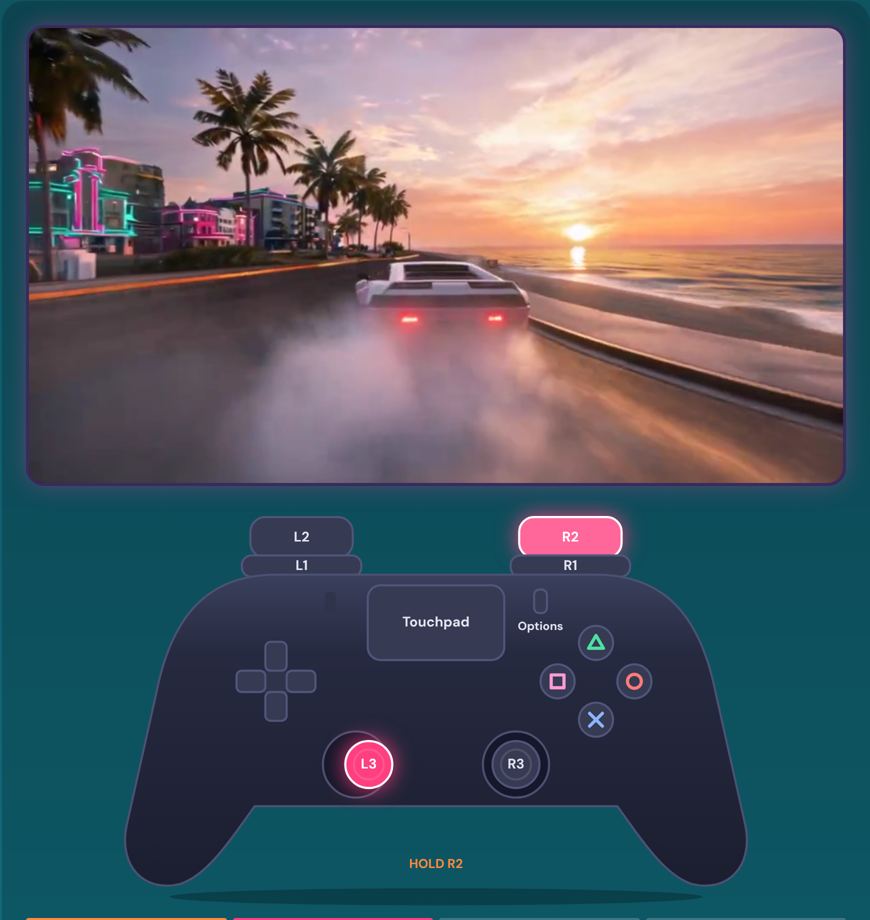
Don't just read the buttons. See every move.
Rookie Gamer's interactive GTA 6 guide plays each move in a realistic Miami scene while the controller underneath lights up exactly which buttons to press, with a voiceover talking you through it. 25 lessons, a 10-pin First Five Hours route with Jessica's voice, a button drill game and a printable cheat sheet. PS5 and Xbox.
🎁 The perfect Christmas gift for any new gamer. Instant digital delivery.
See the GTA 6 + FC 27 bundle in the shop →Fist fight controls
Punching, blocking and dodging when it kicks off.
| Action | PS5 | Xbox | How |
|---|---|---|---|
| Lock on / strafe | L2 | LT | Hold |
| Punch / kick | Square | X | Press |
| Block / dodge | X | A | Press |
| Grapple | R2 | RT | Press |
| Move | Left stick | Left stick | Tilt |
| Look | Right stick | Right stick | Tilt |
| Map | Touchpad | View | Press |
| Pause | Options | Menu | Press |
Cars & boats controls
Driving, handbrake turns, the radio and boats.
| Action | PS5 | Xbox | How |
|---|---|---|---|
| Accelerate | R2 | RT | Hold |
| Brake / reverse | L2 | LT | Hold |
| Steer | Left stick | Left stick | Tilt |
| Handbrake | X | A | Press |
| Get out | Triangle | Y | Press |
| Shoot (drive-by) | R1 | RB | Press |
| Melee | Square | X | Press |
| Headlights | Circle | B | Press |
| Duck | Circle | B | Hold |
| Horn / nitrous | L3 (click left stick) | LS (click left stick) | Click |
| Look | Right stick | Right stick | Tilt |
| Look behind | R3 (click right stick) | RS (click right stick) | Hold |
| Holster | L1 | LB | Press |
| Loadout | L1 | LB | Hold |
| Cellphone | D-pad ↑ | D-pad ↑ | Press |
| Interact | D-pad ↑ | D-pad ↑ | Hold |
| Indicate left | D-pad ← | D-pad ← | Press |
| Vehicle menu | D-pad ← | D-pad ← | Hold |
| Objective / minimap | D-pad ↓ | D-pad ↓ | Press |
| Quick navigation | D-pad ↓ | D-pad ↓ | Hold |
| Indicate right | D-pad → | D-pad → | Press |
| Partner menu | D-pad → | D-pad → | Hold |
| Map | Touchpad | View | Press |
| Pause | Options | Menu | Press |
Aircraft controls
Taking off, steering and landing planes and helicopters.
| Action | PS5 | Xbox | How |
|---|---|---|---|
| Throttle up | R2 | RT | Hold |
| Throttle down | L2 | LT | Hold |
| Pitch / roll | Left stick | Left stick | Tilt |
| Yaw left | Square | X | Press |
| Yaw right | Circle | B | Press |
| Shoot | R1 | RB | Press |
| Get out | Triangle | Y | Press |
| Undercarriage | L3 (click left stick) | LS (click left stick) | Click |
| Look | Right stick | Right stick | Tilt |
| Look behind | R3 (click right stick) | RS (click right stick) | Hold |
| Holster | L1 | LB | Press |
| Cellphone | D-pad ↑ | D-pad ↑ | Press |
| Radio controls | D-pad ← | D-pad ← | Press |
| Vehicle menu | D-pad ← | D-pad ← | Hold |
| Objective / minimap | D-pad ↓ | D-pad ↓ | Press |
| Quick navigation | D-pad ↓ | D-pad ↓ | Hold |
| Partner menu | D-pad → | D-pad → | Hold |
| Map | Touchpad | View | Press |
| Pause | Options | Menu | Press |
Your First Five Hours, pin by pin
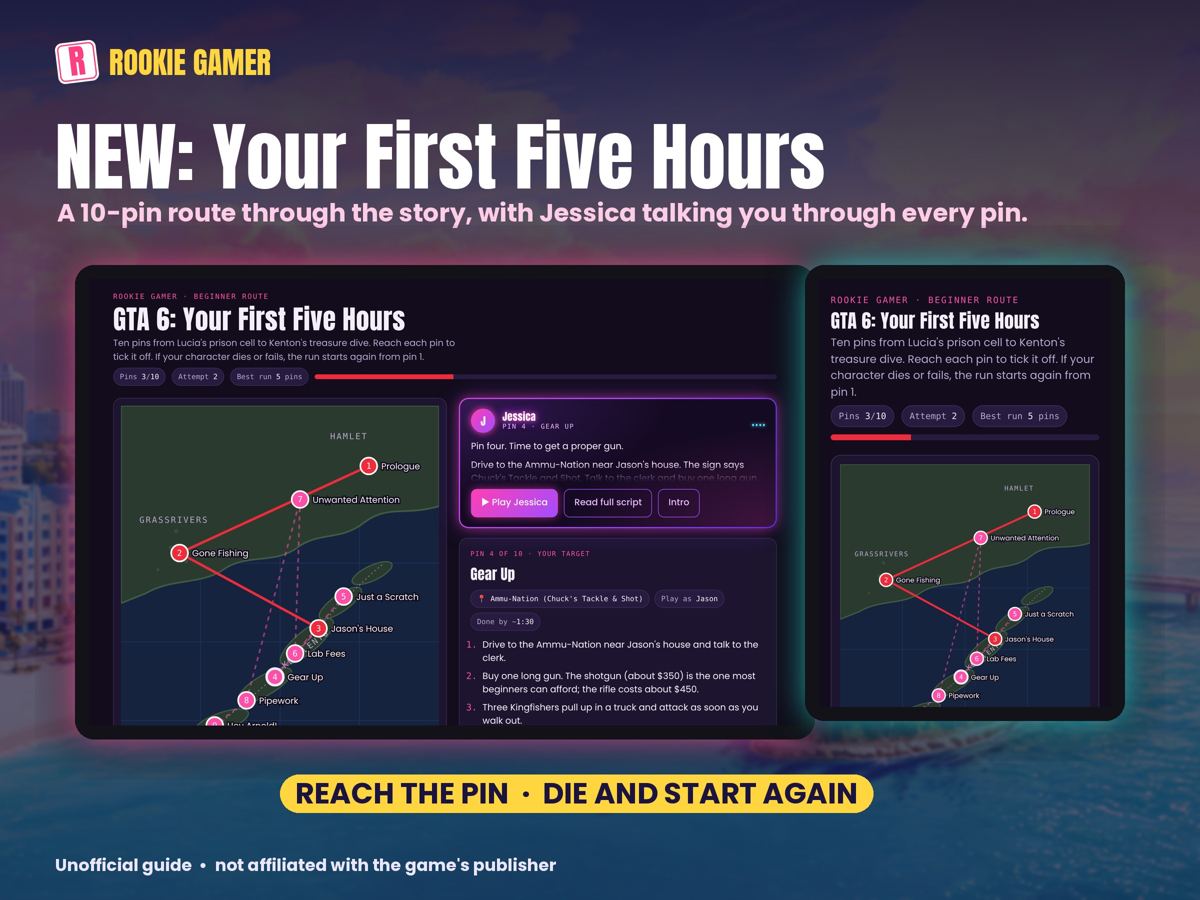
A 10-pin route from Lucia's prison cell to Kenton's treasure dive. Jessica talks you through every pin. Die and you start again from pin 1.
Bicycle controls
Pedalling, bunnyhops and tricks.
| Action | PS5 | Xbox | How |
|---|---|---|---|
| Pedal | R2 | RT | Hold |
| Brake / reverse | L2 | LT | Hold |
| Turn / lean | Left stick | Left stick | Tilt |
| Bunnyhop | Circle | B | Press |
| Sprint | X | A | Press |
| Get off | Triangle | Y | Press |
| Shoot | R1 | RB | Press |
| Melee | Square | X | Press |
| Bell | L3 (click left stick) | LS (click left stick) | Click |
| Look | Right stick | Right stick | Tilt |
| Look behind | R3 (click right stick) | RS (click right stick) | Hold |
| Holster | L1 | LB | Press |
| Loadout | L1 | LB | Hold |
| Cellphone | D-pad ↑ | D-pad ↑ | Press |
| Interact | D-pad ↑ | D-pad ↑ | Hold |
| Objective / minimap | D-pad ↓ | D-pad ↓ | Press |
| Quick navigation | D-pad ↓ | D-pad ↓ | Hold |
| Partner menu | D-pad → | D-pad → | Hold |
| Map | Touchpad | View | Press |
| Pause | Options | Menu | Press |
Swimming controls
Swimming, diving underwater and coming back up.
| Action | PS5 | Xbox | How |
|---|---|---|---|
| Swim | Left stick | Left stick | Tilt |
| Swim faster | L3 (click left stick) | LS (click left stick) | Click |
| Dive | R1 | RB | Press |
| Surface | X | A | Press |
| Shoot | R2 | RT | Press |
| Aim / strafe | L2 | LT | Hold |
| Melee | Square | X | Press |
| Look | Right stick | Right stick | Tilt |
| Look behind | R3 (click right stick) | RS (click right stick) | Hold |
| Holster | L1 | LB | Press |
| Loadout | L1 | LB | Hold |
| Radio controls | D-pad ← | D-pad ← | Press |
| Radio menu | D-pad ← | D-pad ← | Hold |
| Objective / minimap | D-pad ↓ | D-pad ↓ | Press |
| Quick navigation | D-pad ↓ | D-pad ↓ | Hold |
| Partner menu | D-pad → | D-pad → | Hold |
| Map | Touchpad | View | Press |
| Pause | Options | Menu | Press |
Parachute controls
Skydiving, opening the chute and steering to land.
| Action | PS5 | Xbox | How |
|---|---|---|---|
| Open parachute | X | A | Press |
| Steer | Left stick | Left stick | Tilt |
| Brake left | L2 | LT | Hold |
| Brake right | R2 | RT | Hold |
| Detach parachute | Triangle | Y | Press |
| Shoot | R1 | RB | Press |
| Look | Right stick | Right stick | Tilt |
| Look behind | R3 (click right stick) | RS (click right stick) | Hold |
| Holster | L1 | LB | Press |
| Loadout | L1 | LB | Hold |
| Cellphone | D-pad ↑ | D-pad ↑ | Press |
| Waink app | D-pad ↑ | D-pad ↑ | Hold |
| Radio controls | D-pad ← | D-pad ← | Press |
| Radio menu | D-pad ← | D-pad ← | Hold |
| Objective / minimap | D-pad ↓ | D-pad ↓ | Press |
| Quick navigation | D-pad ↓ | D-pad ↓ | Hold |
| Partner menu | D-pad → | D-pad → | Hold |
| Map | Touchpad | View | Press |
| Pause | Options | Menu | Press |
Don't just read the buttons. See every move.
Rookie Gamer's interactive GTA 6 guide plays each move in a realistic Miami scene while the controller underneath lights up exactly which buttons to press, with a voiceover talking you through it. 25 lessons, a 10-pin First Five Hours route with Jessica's voice, a button drill game and a printable cheat sheet. PS5 and Xbox.
🎁 The perfect Christmas gift for any new gamer. Instant digital delivery.
See the GTA 6 + FC 27 bundle in the shop →FAQ
How do you lose a wanted level in GTA 6?
Get out of sight, then change what the police are looking for: take off your mask or hat, change outfit, put your gun away, swap cars and destroy any CCTV recording. On one star you can sometimes just talk to the officer.
Can you talk your way out of a wanted level in GTA 6?
Yes, on a one-star wanted level talking to the officer can defuse it.
Why do the police keep finding me in GTA 6?
They track your outfit, weapon, vehicle, CCTV footage and your partner. If any of those still match, they can pick you up again. Some stolen cars also have trackers.