 ROOKIE GAMER
More free GTA 6 help: Controls · Cheat codes · Beginner tips · Lose the police · Fast travel
If they already have the game
- A comfortable headset. GTA 6's radio, voices and city noise are a big part of it, and they'll use it every night.
- A second controller. Cheap, useful, and it means you can pick it up and have a go yourself.
- A charging stand or spare battery. Long sessions eat controller batteries.
- Snacks and a 'game night' box. A favourite drink, snacks and a note giving them an evening off chores goes down well.
If you want to play together
GTA 6 uses almost every button on the controller, which is what puts most new players off. Learning the basics on your own first, at your own pace, means you can join in without asking what to press every two minutes.
That's what our GTA 6 Beginner's Guide is for: 25 short lessons where a realistic scene plays each move while an on-screen controller lights up exactly which buttons to press, with a voiceover talking you through it. It works on PS5 and Xbox, it's an instant download, and it comes with a printable Christmas gift card they can scan to open the guide.
If they're brand new to GTA
The guide works as a gift for them too. It's made for people who've never played GTA, so it's a good fit for anyone who's just got a PS5 or Xbox. There's also a GTA 6 + FC 27 bundle if they play football games.
A note on age
GTA 6 is rated PEGI 18, so these ideas are for adult players.
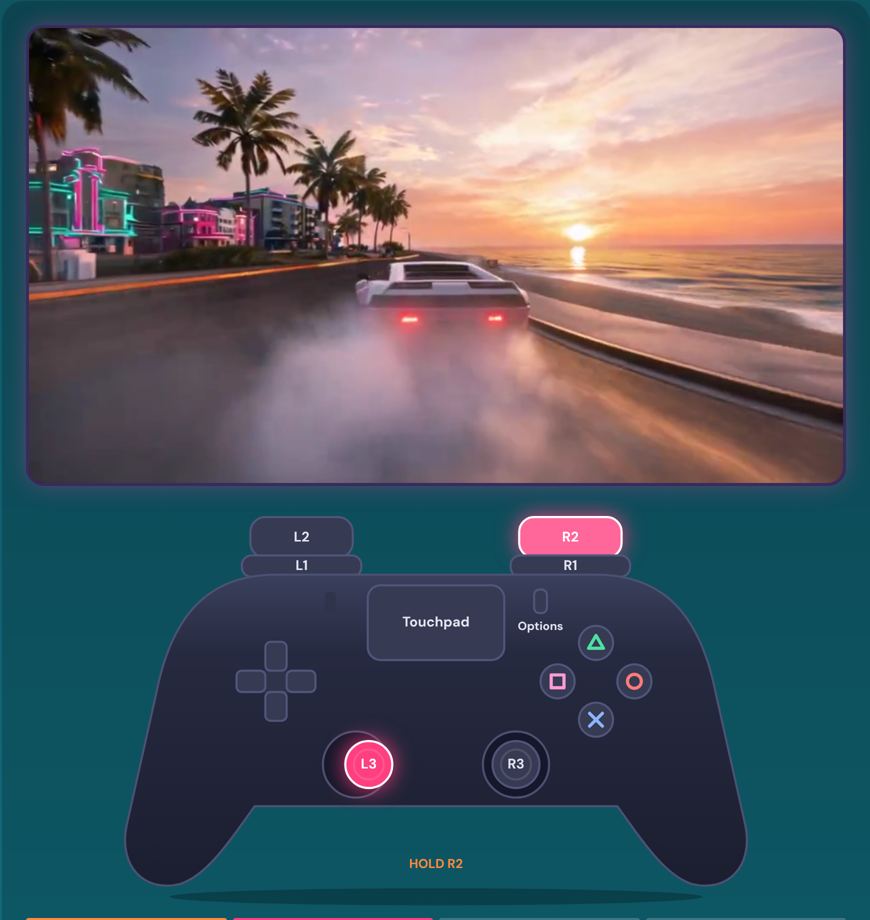
Don't just read the buttons. See every move.
Rookie Gamer's interactive GTA 6 guide plays each move in a realistic Miami scene while the controller underneath lights up exactly which buttons to press, with a voiceover talking you through it. 25 lessons, a 10-pin First Five Hours route with Jessica's voice, a button drill game and a printable cheat sheet. PS5 and Xbox.
🎁 The perfect Christmas gift for any new gamer. Instant digital delivery.
See the GTA 6 + FC 27 bundle in the shop →Fist fight controls
Punching, blocking and dodging when it kicks off.
| Action | PS5 | Xbox | How |
|---|---|---|---|
| Lock on / strafe | L2 | LT | Hold |
| Punch / kick | Square | X | Press |
| Block / dodge | X | A | Press |
| Grapple | R2 | RT | Press |
| Move | Left stick | Left stick | Tilt |
| Look | Right stick | Right stick | Tilt |
| Map | Touchpad | View | Press |
| Pause | Options | Menu | Press |
Cars & boats controls
Driving, handbrake turns, the radio and boats.
| Action | PS5 | Xbox | How |
|---|---|---|---|
| Accelerate | R2 | RT | Hold |
| Brake / reverse | L2 | LT | Hold |
| Steer | Left stick | Left stick | Tilt |
| Handbrake | X | A | Press |
| Get out | Triangle | Y | Press |
| Shoot (drive-by) | R1 | RB | Press |
| Melee | Square | X | Press |
| Headlights | Circle | B | Press |
| Duck | Circle | B | Hold |
| Horn / nitrous | L3 (click left stick) | LS (click left stick) | Click |
| Look | Right stick | Right stick | Tilt |
| Look behind | R3 (click right stick) | RS (click right stick) | Hold |
| Holster | L1 | LB | Press |
| Loadout | L1 | LB | Hold |
| Cellphone | D-pad ↑ | D-pad ↑ | Press |
| Interact | D-pad ↑ | D-pad ↑ | Hold |
| Indicate left | D-pad ← | D-pad ← | Press |
| Vehicle menu | D-pad ← | D-pad ← | Hold |
| Objective / minimap | D-pad ↓ | D-pad ↓ | Press |
| Quick navigation | D-pad ↓ | D-pad ↓ | Hold |
| Indicate right | D-pad → | D-pad → | Press |
| Partner menu | D-pad → | D-pad → | Hold |
| Map | Touchpad | View | Press |
| Pause | Options | Menu | Press |
Aircraft controls
Taking off, steering and landing planes and helicopters.
| Action | PS5 | Xbox | How |
|---|---|---|---|
| Throttle up | R2 | RT | Hold |
| Throttle down | L2 | LT | Hold |
| Pitch / roll | Left stick | Left stick | Tilt |
| Yaw left | Square | X | Press |
| Yaw right | Circle | B | Press |
| Shoot | R1 | RB | Press |
| Get out | Triangle | Y | Press |
| Undercarriage | L3 (click left stick) | LS (click left stick) | Click |
| Look | Right stick | Right stick | Tilt |
| Look behind | R3 (click right stick) | RS (click right stick) | Hold |
| Holster | L1 | LB | Press |
| Cellphone | D-pad ↑ | D-pad ↑ | Press |
| Radio controls | D-pad ← | D-pad ← | Press |
| Vehicle menu | D-pad ← | D-pad ← | Hold |
| Objective / minimap | D-pad ↓ | D-pad ↓ | Press |
| Quick navigation | D-pad ↓ | D-pad ↓ | Hold |
| Partner menu | D-pad → | D-pad → | Hold |
| Map | Touchpad | View | Press |
| Pause | Options | Menu | Press |
Your First Five Hours, pin by pin
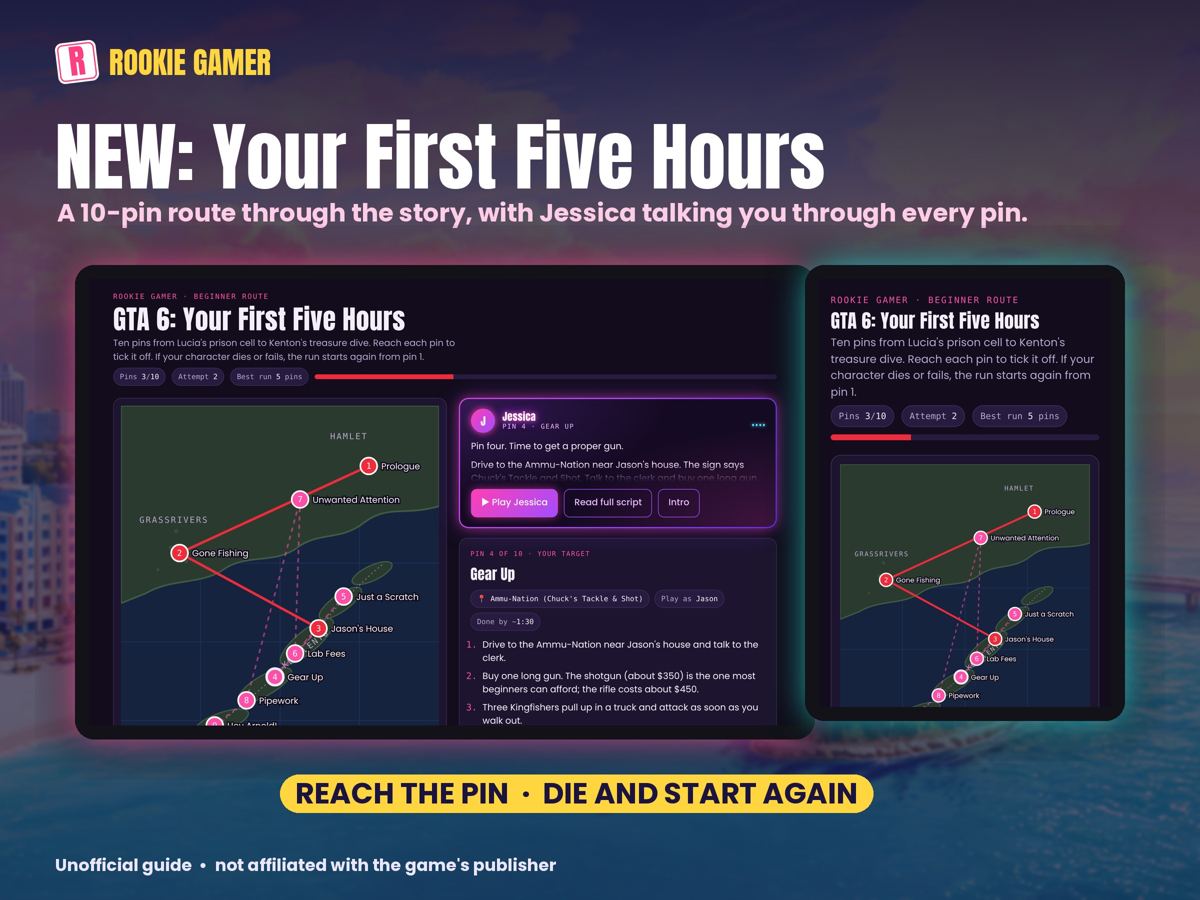
A 10-pin route from Lucia's prison cell to Kenton's treasure dive. Jessica talks you through every pin. Die and you start again from pin 1.
Bicycle controls
Pedalling, bunnyhops and tricks.
| Action | PS5 | Xbox | How |
|---|---|---|---|
| Pedal | R2 | RT | Hold |
| Brake / reverse | L2 | LT | Hold |
| Turn / lean | Left stick | Left stick | Tilt |
| Bunnyhop | Circle | B | Press |
| Sprint | X | A | Press |
| Get off | Triangle | Y | Press |
| Shoot | R1 | RB | Press |
| Melee | Square | X | Press |
| Bell | L3 (click left stick) | LS (click left stick) | Click |
| Look | Right stick | Right stick | Tilt |
| Look behind | R3 (click right stick) | RS (click right stick) | Hold |
| Holster | L1 | LB | Press |
| Loadout | L1 | LB | Hold |
| Cellphone | D-pad ↑ | D-pad ↑ | Press |
| Interact | D-pad ↑ | D-pad ↑ | Hold |
| Objective / minimap | D-pad ↓ | D-pad ↓ | Press |
| Quick navigation | D-pad ↓ | D-pad ↓ | Hold |
| Partner menu | D-pad → | D-pad → | Hold |
| Map | Touchpad | View | Press |
| Pause | Options | Menu | Press |
Swimming controls
Swimming, diving underwater and coming back up.
| Action | PS5 | Xbox | How |
|---|---|---|---|
| Swim | Left stick | Left stick | Tilt |
| Swim faster | L3 (click left stick) | LS (click left stick) | Click |
| Dive | R1 | RB | Press |
| Surface | X | A | Press |
| Shoot | R2 | RT | Press |
| Aim / strafe | L2 | LT | Hold |
| Melee | Square | X | Press |
| Look | Right stick | Right stick | Tilt |
| Look behind | R3 (click right stick) | RS (click right stick) | Hold |
| Holster | L1 | LB | Press |
| Loadout | L1 | LB | Hold |
| Radio controls | D-pad ← | D-pad ← | Press |
| Radio menu | D-pad ← | D-pad ← | Hold |
| Objective / minimap | D-pad ↓ | D-pad ↓ | Press |
| Quick navigation | D-pad ↓ | D-pad ↓ | Hold |
| Partner menu | D-pad → | D-pad → | Hold |
| Map | Touchpad | View | Press |
| Pause | Options | Menu | Press |
Parachute controls
Skydiving, opening the chute and steering to land.
| Action | PS5 | Xbox | How |
|---|---|---|---|
| Open parachute | X | A | Press |
| Steer | Left stick | Left stick | Tilt |
| Brake left | L2 | LT | Hold |
| Brake right | R2 | RT | Hold |
| Detach parachute | Triangle | Y | Press |
| Shoot | R1 | RB | Press |
| Look | Right stick | Right stick | Tilt |
| Look behind | R3 (click right stick) | RS (click right stick) | Hold |
| Holster | L1 | LB | Press |
| Loadout | L1 | LB | Hold |
| Cellphone | D-pad ↑ | D-pad ↑ | Press |
| Waink app | D-pad ↑ | D-pad ↑ | Hold |
| Radio controls | D-pad ← | D-pad ← | Press |
| Radio menu | D-pad ← | D-pad ← | Hold |
| Objective / minimap | D-pad ↓ | D-pad ↓ | Press |
| Quick navigation | D-pad ↓ | D-pad ↓ | Hold |
| Partner menu | D-pad → | D-pad → | Hold |
| Map | Touchpad | View | Press |
| Pause | Options | Menu | Press |
Don't just read the buttons. See every move.
Rookie Gamer's interactive GTA 6 guide plays each move in a realistic Miami scene while the controller underneath lights up exactly which buttons to press, with a voiceover talking you through it. 25 lessons, a 10-pin First Five Hours route with Jessica's voice, a button drill game and a printable cheat sheet. PS5 and Xbox.
🎁 The perfect Christmas gift for any new gamer. Instant digital delivery.
See the GTA 6 + FC 27 bundle in the shop →FAQ
What's a good gift for a boyfriend or girlfriend who plays GTA 6?
A good headset, a second controller, a charging stand, or a game-night box. If you want to play together, a beginner's guide helps you learn the controls first.
Is there a GTA 6 guide for complete beginners?
Yes. Rookie Gamer's unofficial GTA 6 Beginner's Guide teaches every button with realistic scenes, an on-screen controller and a voiceover, on PS5 and Xbox.
Is the Rookie Gamer guide official?
No. It's an unofficial fan guide, not affiliated with Rockstar Games or Take-Two.